
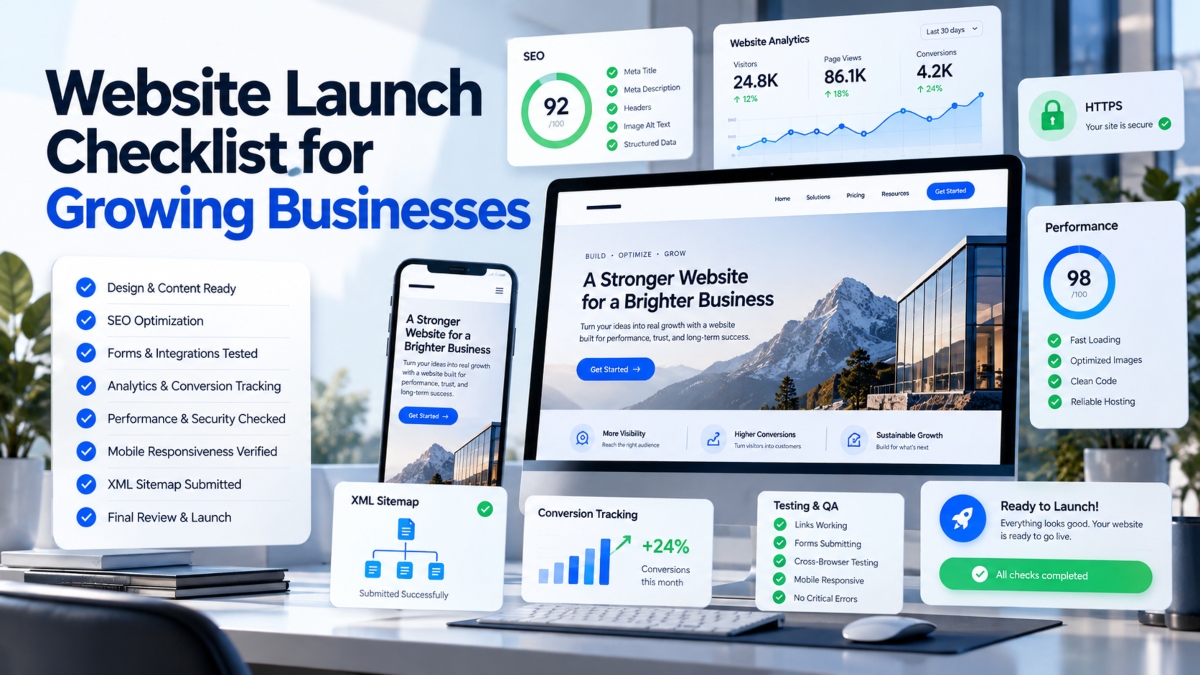
Launching a new website is more than publishing pages and making the site live. A website can look polished and still lose leads because a contact form does not work, mobile navigation feels awkward, tracking is missing, important pages are not indexed, or slow loading frustrates visitors.
For a growing business, these problems can cost more than a few missed clicks. They can affect leads, sales, search visibility, and customer trust. That is why a clear website launch checklist should be part of every website project.
This guide walks through the key tasks to complete before, during, and after launch. It covers strategy and planning, so you know what the website needs to achieve. It also covers design and user experience, technical setup, and SEO to help visitors and search engines use the site properly.
You will also find steps for analytics and conversion tracking, quality assurance, and launch day checks. Finally, the guide covers post launch monitoring, helping you catch problems and improve the website as your business grows.
Whether you are launching your first business website, replacing an outdated site, or completing a major redesign, this checklist gives you a practical path from planning to a confident launch.
1. Set Your Website Goals Before You Build
Before choosing colors, layouts, or features, decide what your website needs to do for the business. A growing business website should support clear business goals rather than simply exist as an online presence. Knowing the purpose early also makes later decisions about content, design, SEO, and development much easier.
Define Your Primary Website Goals
Start by choosing the main actions you want visitors to take. Your goals may include generating leads, selling products, booking demos, receiving quote requests, growing email subscribers, or building brand awareness. Try to focus on two or three primary goals instead of giving every action equal weight.
Choose Your Key Website KPIs
Once your goals are clear, decide how you will measure progress. Useful website KPIs can include conversion rate, form submissions, demo bookings, sales, organic traffic, engagement, and qualified leads. Set realistic targets where possible so you can compare website performance over time.
Identify Your Target Audience
Your website should speak directly to the people you want to reach. Learn about their needs, questions, goals, and buying concerns. This information should guide your messaging, navigation, offers, CTAs, content, and design. A website built around real audience needs is more likely to keep visitors engaged and guide them toward the right action.
Research Competitors
Review several competitor websites before finalizing your own website launch plan. Look at their navigation, content, pricing, CTAs, offers, user experience, and search visibility. The goal is not to copy them. Instead, identify useful ideas, gaps, and ways your website can give visitors a clearer reason to choose your business.
Create Your Sitemap and Navigation Structure
Plan the website structure before development begins. Your sitemap should show how important pages connect and how visitors can move through the site. Depending on your business, this may include core pages, service pages, product pages, an About page, Contact page, blog, and legal pages.
A clear structure creates a stronger foundation for your website launch process and makes it easier to manage content, navigation, and SEO as the business grows.
2. Prepare Your Website Design and User Experience
Good website design is not only about making pages look attractive. A strong business website should help visitors understand what you offer, find the information they need, and take the next step without confusion. Every design choice should support clarity, trust, and ease of use.
Keep Branding Consistent
Your website should feel connected from one page to another. Use the same logo, brand colors, fonts, images, buttons, and visual style throughout the site. Consistent branding helps visitors recognize your business and creates a more professional experience.
Design for Mobile Devices
A mobile friendly website should work smoothly across phones and tablets, not just desktop screens. Use responsive web design so layouts, images, menus, forms, and buttons adjust to different screen sizes. Test important pages on real devices to catch issues that may not appear during basic browser testing.
Build Simple Website Navigation
Visitors should be able to find important information without having to figure out how the website works. Use clear labels and logical categories for your main navigation. Keep the top menu focused on the most useful pages and add website search when it can help users find specific information. A clear CTA in the header can also guide visitors toward an important action.
Place Clear Calls to Action
Your calls to action should tell visitors what to do next. Depending on your business, this could be Get a Quote, Book a Demo, Start a Trial, Contact Sales, or Buy Now. Place relevant CTAs where they make sense and make sure they are easy to see and use on both desktop and mobile devices.
Add Trust Signals
Visitors may hesitate if they cannot tell whether your business is reliable. Add useful trust signals such as customer testimonials, client logos, reviews, case studies, certifications, and guarantees where applicable. Place them near important decision points so visitors can see supporting evidence when they are considering an offer.
Check Website Accessibility
Accessibility should be part of your website UX checklist. Check color contrast, keyboard navigation, image alt text, form labels, semantic HTML, and visible focus states. These improvements can make the website easier to use for a wider range of visitors.
Add a Favicon and Social Sharing Images
Add a favicon so your brand is recognizable in browser tabs and bookmarks. You should also create Open Graph images for important pages. These images help your content look more polished when page links are shared on social platforms.
A well planned design gives your website a stronger foundation for responsive web design, mobile usability, accessibility, and a smoother user experience.
3. Complete the Technical Website Setup
A website can have great content and a polished design, but technical problems can still hurt the user experience and search visibility. Before launch, check the core technical parts of the site and make sure everything works as expected. A proper website technical checklist can help you catch security, speed, compatibility, and functionality problems before visitors encounter them.
Install and Verify SSL
Make sure your website uses HTTPS with a valid SSL certificate. Check that the certificate works correctly across the site and that HTTP versions of your URLs redirect to their HTTPS versions. Test important pages after the redirect is enabled to make sure visitors are not sent to broken or incorrect URLs.
Check Core Web Vitals
Review Core Web Vitals before launch. The main metrics are LCP, which measures loading performance, INP, which measures responsiveness, and CLS, which measures visual stability. Check these metrics before the site goes live so you have time to fix slow pages, delayed interactions, or unexpected layout movement.
Optimize Website Images
Large image files can slow down pages and affect the browsing experience. Compress images while keeping good visual quality, and use modern formats such as WebP or AVIF where suitable. Provide responsive image sizes for different screens and use lazy loading for images that are not needed immediately. Descriptive file names can also make your media library easier to manage.
Minify CSS and JavaScript
Review your CSS and JavaScript files before launch. Remove unnecessary code and use minification where appropriate to reduce file sizes. Smaller files can help browsers load and process website resources more quickly.
Test Browsers and Devices
Test the website across major browsers such as Chrome, Safari, Firefox, and Edge. Check important pages on iOS, Android, phones, and tablets. Look for layout problems, missing elements, broken menus, slow interactions, and other issues that may appear only on certain devices.
Test Every Website Form
Submit every important form before launch. This includes contact forms, lead forms, newsletter forms, demo requests, and checkout forms. Confirm that submissions reach the correct inbox or system, confirmation messages appear, notifications work, and forms remain easy to use on mobile devices.
Create a Helpful 404 Page
A useful 404 page can guide visitors when they reach a missing URL. Include a clear error message, navigation options, search where useful, links to important pages, and a relevant CTA. This gives visitors a way forward instead of leaving them at a dead end.
Configure Your CMS
Review your CMS settings before launch. Check SEO settings, user permissions, plugins, default settings, updates, and security options. Remove anything unnecessary and make sure only the required users have access to administrative features.
Add Structured Data Where Relevant
Use structured data when it fits the content and business. Depending on the website, this may include Organization, LocalBusiness, Product, Breadcrumb, or eligible FAQ structured data. Test the markup before launch and fix any errors that could prevent search engines from reading it correctly.
Review Privacy and Cookie Requirements
Check that your privacy policy and cookie settings match the needs of your business and audience. If your website uses cookies or web tracking tools, review applicable requirements based on where your business operates and where visitors are located. Make sure consent controls work correctly where they are required.
Completing these checks gives your website a stronger technical foundation and reduces the chance of speed, security, compatibility, or functionality problems appearing after launch.
4. Complete Your On Page SEO Checklist
SEO should be checked before a new website goes live, not treated as a task for later. A strong website SEO checklist helps you review the page elements that affect how search engines understand your content and how people decide which result to visit. From meta titles and headings to internal links and indexing settings, small details can make a big difference to the quality of your launch.
Write a Unique Meta Title for Every Important Page
Give every important page a unique meta title that clearly explains what the page offers. Include the main keyword when it fits naturally, but keep the wording useful for people rather than writing for search engines alone. A service page, product page, and About page should each have a title that reflects its specific content. Keep titles concise enough that the main message is easy to understand in search results.
Create Useful Meta Descriptions
Write a clear meta description for each important page. It should accurately summarize the page and give searchers a reason to visit. Mention the main topic naturally and focus on what the visitor can expect to find. Avoid writing the same description across multiple pages, especially when each page targets a different search intent.
Check Your Heading Structure
Review the heading structure across the website. Each important page should have one clear H1 that describes its main topic. Use H2 headings to organize major sections and H3 headings for relevant subsections. Keywords can appear in headings when they fit naturally, but avoid repeating the same phrase simply to increase keyword use. A logical structure makes pages easier to scan and gives search engines clearer context.
Optimize Image Alt Text
Add useful alt text to images that provide meaningful information. Describe the relevant content of the image in plain language rather than filling the description with keywords. Decorative images may not need descriptive alt text. The goal is to provide useful context for people who use screen readers and improve the overall accessibility of the page.
Create Clean and Descriptive URLs
Keep URLs short, readable, and connected to the page topic. A clean URL can help visitors understand where they are before opening a page.
For example:
/services/web-design/
is clearer than:
/page?id=123
Use descriptive words where appropriate and avoid unnecessary parameters, numbers, or confusing URL structures.
Build Internal Links
Connect related pages with relevant internal links. For example, a service page can link to a related case study, guide, pricing page, or contact page. Internal linking helps visitors discover useful information and gives search engines more context about how your pages relate to each other. Review important pages to make sure visitors can reach them through a logical path.
Create and Submit an XML Sitemap
Create an XML sitemap that lists the important URLs you want search engines to discover. Before submitting it, check that the sitemap does not contain broken, redirected, duplicate, or unwanted URLs. Submit the sitemap through Google Search Console after launch and monitor it for indexing issues.
Review Your Robots.txt File
Check your robots.txt file before the website goes live. Make sure important pages are not accidentally blocked from crawling. At the same time, review any staging areas, private sections, or technical directories that should not be crawled. A small mistake in this file can affect how search engines access parts of your website.
Set Up Google Search Console
Add the website to Google Search Console and complete ownership verification. Use the platform to submit your XML sitemap, check indexing status, review search performance, and identify crawl issues. Setting it up before or around launch gives you a useful place to monitor how Google is processing the new website.
Proofread Every Page
Finish your on page SEO checklist with a full content review. Check spelling, grammar, links, CTAs, product details, contact information, pricing, and legal pages. Make sure phone numbers, email addresses, business details, and offers are accurate. Test important links and forms again after making final edits.
A careful SEO review gives your new website SEO a stronger starting point. It also reduces the chance of simple content or technical mistakes affecting search visibility after launch.
5. Set Up Analytics and Conversion Tracking
A website can look polished and still fail to support business growth if you cannot measure what visitors do. Analytics helps you understand where traffic comes from, which pages attract attention, and which actions turn visitors into leads or customers. Add measurement to your website launch checklist so you have useful data from the moment the site goes live.
Install Google Analytics 4
Start with a basic GA4 setup that connects your website to Google Analytics 4 and collects visitor data. Check that the tracking code is installed correctly and that data is being received. Configure the key settings for your business, including important events and relevant reporting views. Avoid adding tracking without checking whether it is collecting the information you actually need.
Define Your Important Conversion Events
Decide which visitor actions matter most to the business. Depending on your goals, these may include form submissions, demo bookings, purchases, phone clicks, email clicks, or downloads. Mark the actions that represent meaningful progress toward a lead or sale. This gives your website conversion tracking a clear purpose instead of simply measuring page views.
Test Your Tracking
Do not assume that analytics works just because the tracking code is installed. Test important actions yourself and confirm that the related events appear correctly in your analytics data. Submit forms, click phone and email links, complete test purchases where appropriate, and check other key actions. Fix tracking problems before launch so early traffic does not leave gaps in your data.
Create a UTM Naming System
Use consistent UTM parameters when sharing campaign links through ads, email marketing, social media, partnerships, or other channels. A clear naming system helps you identify where visitors came from and compare campaign results. Keep naming conventions consistent across the team so reports remain clean and useful.
Consider Heatmaps and Session Recordings
Tools such as Microsoft Clarity and Hotjar can provide another view of visitor behavior. Heatmaps can show where people click or how far they scroll, while session recordings can help reveal navigation problems or confusing interactions. Use these tools alongside analytics rather than treating them as a replacement for conversion data.
Monitor Website Performance
Your website analytics checklist should continue after launch. Schedule regular checks for traffic, conversions, important events, and website performance. New pages, plugins, images, scripts, and features can affect loading speed or tracking over time. Regular monitoring helps you spot problems early and keeps your measurement setup useful as the website grows.
6. Run a Complete Pre Launch QA Check
A final QA review gives you one last chance to catch problems before visitors see the new website. This is more than checking whether the pages look good. Your website pre launch checklist should cover links, forms, mobile usability, tracking, backups, and the main actions visitors are expected to complete. A careful inspection can prevent small errors from turning into lost leads or frustrated customers.
Crawl the Website for Technical Errors
Use a website crawler or SEO auditing tool to scan the site for common technical problems. Look for broken links, missing metadata, duplicate content, missing headings, and crawl issues. Review the results manually where needed because automated tools can flag items that may not require changes. Pay particular attention to important pages that receive search traffic or support conversions.
Test the Main User Journeys
Walk through the website as a real customer would. Ask someone who was not involved in building the site to complete common tasks without assistance. Can they find pricing quickly? Can they contact the company? Can they book a demo, submit a form, or complete checkout without confusion?
These tests can reveal unclear navigation, weak calls to action, confusing forms, or unnecessary steps that may not be obvious to the development team.
Test Mobile Usability Again
Review the website on phones and tablets before launch. Check buttons, forms, menus, images, and text size. Make sure visitors do not need to zoom in or scroll horizontally to use important features. Pay extra attention to forms and checkout pages because mobile problems in these areas can directly affect conversions.
Verify Analytics and Marketing Tags
Confirm that GA4, advertising tags, CRM integrations, and other tracking systems are working as expected. Test important events and make sure the information reaches the correct platform. If your business relies on lead tracking or advertising data, this step should be part of your website testing checklist before the site becomes public.
Create a Full Website Backup
Create a complete backup of your website files and databases before launch. Store the backup securely and make sure you know how to restore it if something goes wrong. A reliable backup gives your team a recovery option if a launch update causes an unexpected problem.
Review Every Link
Check internal links, external links, navigation links, footer links, social links, and CTA links. Open important links manually and confirm they lead to the correct destination. Check buttons that point to forms, booking pages, checkout screens, or contact options. This final pass can catch simple mistakes that automated checks may miss.
Once these checks are complete, your website QA checklist should give the team confidence that the site is ready for public access.
7. Follow the Website Launch Day Checklist
Launch day is when your website moves from a controlled testing environment to the public internet. Even if everything worked during development, the live site needs another review. Follow a clear website launch day checklist so your team can catch deployment issues quickly and confirm that important pages and business actions are working.
Deploy the Website to Production
Move the approved website to the live environment and check the deployment carefully. Do not assume that staging results will carry over perfectly. Open the live site on desktop and mobile, review key pages, and test important functions immediately after deployment.
Test Critical Pages and Conversions
Start with the pages and actions that matter most to the business. Check the homepage, main landing pages, contact forms, checkout, login areas, and key CTAs. Submit test forms where possible and confirm that notifications, confirmation messages, and connected systems work correctly. If the website generates leads or sales, give these areas extra attention.
Check HTTPS and Redirects
Confirm that the live website loads securely through HTTPS. Check that HTTP requests redirect correctly and that required redirects are working. Pay attention to important pages that changed during development or moved as part of a redesign.
Submit the XML Sitemap
Once the live website is confirmed, submit the XML sitemap through Google Search Console. Make sure the submitted sitemap contains the correct live URLs and does not include staging pages, broken URLs, or pages you do not want indexed.
Request Indexing for Important Pages
Use the URL Inspection feature in Google Search Console when appropriate for important newly published pages. This can help you check whether Google can access a page and whether it is eligible for indexing. Avoid treating indexing requests as a guarantee of immediate inclusion in search results.
Check 301 Redirects After a Redesign
A website redesign can change page URLs, so review your redirect map carefully. Old URLs should point to the most relevant new destinations through 301 redirects. Test important old URLs manually to confirm visitors and search engines are sent to the correct pages.
Announce the Website Launch
Once the website passes its live checks, tell your audience that it is available. Depending on your business, you can use email, social media, Google Business Profile, partners, or existing customer channels. Keep the announcement focused on what is new and where visitors should go.
Following a structured website launch process helps turn launch day into a controlled handoff rather than a rushed final step.
8. Monitor and Improve the Website After Launch
Launching a website is not the finish line. It is the point where real visitors begin using the site, search engines start processing its pages, and your team gets access to real performance data. A website post launch checklist helps you spot problems early and make informed improvements instead of waiting for customers to report an issue.
Monitor the First 48 Hours
Pay close attention to the website during the first 48 hours. Look for server errors, broken pages, form failures, unexpected traffic changes, and indexing problems. Check your most important pages regularly and confirm that forms, CTAs, checkout features, and other key functions continue to work after launch.
Review Traffic and Conversion Data
Use your analytics data to understand how visitors interact with the new site. Review traffic sources, landing pages, exit pages, conversion paths, and form submissions. Compare this information with the goals you set before development. If a page receives traffic but produces few conversions, review its content, offer, navigation, and CTA.
Collect Visitor Feedback
Analytics can show what visitors do, but feedback can help explain why they behave that way. Use surveys, feedback forms, and session recordings to find areas that confuse visitors. Look for repeated questions, navigation problems, unclear wording, or steps that make important actions harder to complete.
Keep Improving Website Speed
Website performance can change as new pages, images, scripts, plugins, and features are added. Continue reviewing Core Web Vitals and page performance after launch. Compress new images, remove unnecessary scripts, and review slow pages when performance begins to decline. Regular checks can help keep the experience fast as the site grows.
Review SEO Performance
Track impressions, clicks, rankings, indexed pages, organic traffic, and search queries over time. Look for changes in search visibility and identify pages that gain or lose traffic. Use this information to improve content, internal links, titles, descriptions, and other SEO elements based on actual search data.
Maintain Accessibility and Legal Pages
Review accessibility as the website changes. New content, forms, images, and design updates should continue to provide a usable experience for visitors with different needs. Keep privacy policies, cookie information, terms, and other legal pages accurate when business practices or website features change.
Create a Website Maintenance Schedule
A website maintenance checklist should cover routine CMS updates, plugin updates, security checks, backups, content reviews, SEO audits, and performance checks. Set a regular schedule rather than waiting for problems to appear. Some checks may need to happen weekly, while larger SEO or content reviews can be scheduled monthly or quarterly.
Consistent website monitoring gives growing businesses a clearer view of what is working and what needs attention. The best website launch process continues with regular testing, measurement, maintenance, and improvement long after the site goes live.
Website Launch Checklist at a Glance
If you need a quick reference after working through the full guide, use this checklist to review the most important website launch tasks. Go through each item before the website becomes public, then revisit the post launch items after deployment.
Strategy and Content
Website goals defined
Target audience identified
Sitemap completed
Content approved
Design and User Experience
Branding applied
Mobile design tested
Accessibility checked
Technical Setup
HTTPS enabled
Core Web Vitals reviewed
Forms tested
404 page created
SEO
Metadata added
Internal links checked
XML sitemap created
Robots.txt reviewed
Google Search Console configured
Analytics and Tracking
GA4 installed
Conversion tracking tested
Quality Assurance
Website crawled for errors
Backup completed
301 redirects tested
Launch and Monitoring
Launch completed
Post launch monitoring started
Use this checklist alongside the detailed sections above when preparing a new website or redesign. A quick final review can help catch missing tasks before they affect visitors, search visibility, or conversions. After launch, keep the checklist available as part of your regular website maintenance process.
Final Thoughts
A successful website launch is about more than publishing a set of pages and making the site public. Growing businesses need a website that works for visitors, gives search engines clear access to its content, collects reliable data, and turns relevant traffic into leads, sales, bookings, or other valuable actions.
That is why a detailed website launch checklist matters. Reviewing design, mobile usability, SEO, security, performance, analytics, forms, links, and conversion paths before launch can help prevent avoidable problems. After launch, regular monitoring keeps the website healthy as content, technology, and business needs change.
Use this checklist as a practical reference before your next website launch. Review each section, test the important user journeys, and confirm that your measurement and SEO systems are ready.
Ready to check your site? Download the checklist, work through each item, and start your website audit today.
FAQs About Launching a Business Website
What should I check before launching a website?
Before launch, review the website from both the business and visitor perspective. Check the design, mobile usability, forms, links, SEO settings, security, performance, analytics, accessibility, and content. Test important user journeys such as finding a service, contacting the business, booking a demo, or completing a purchase. A final review can catch small problems before they affect real visitors.
How long does it take to launch a business website?
There is no fixed timeline for every business website. The schedule depends on the size of the site, amount of content, integrations, design requirements, development work, and number of review cycles. A simple site may move from planning to launch faster than a large website with ecommerce, custom features, or several integrations. Build enough time into the schedule for testing and final changes.
What SEO tasks should be completed before launching a website?
Complete your main SEO checks before launch. Review meta titles, meta descriptions, headings, clean URLs, internal links, and image alt text. Create an XML sitemap, review robots.txt, test redirects, configure Google Search Console, and add relevant structured data. Check important pages for indexing issues before the site becomes public.
How do I know if my website is ready to launch?
Your website is closer to launch ready when its key functions work correctly and the main visitor journeys are easy to complete. Review functionality, usability, SEO, mobile performance, security, analytics, content, and conversion paths. Test important pages on different devices and browsers, then complete a final website QA review.
Should I submit my sitemap on launch day?
Yes. Submitting an XML sitemap through Google Search Console is a useful launch task because it gives Google a clear list of important URLs to discover. Before submitting it, check that the sitemap contains the correct live URLs and does not include unwanted or broken pages.
What should I monitor after launching a website?
Monitor traffic, conversions, indexing, broken links, Core Web Vitals, form submissions, search performance, and visitor behavior. Pay close attention during the first few days, then continue regular checks as new content and features are added. Analytics and Search Console can help identify changes that need attention.
What is the difference between a website launch checklist and a website maintenance checklist?
A website launch checklist focuses on preparing the site for public access and verifying its initial setup. A website maintenance checklist covers ongoing work after launch, including CMS and plugin updates, security checks, backups, content reviews, SEO audits, performance checks, and accessibility reviews. Both help keep the website reliable as the business grows.
Read More: Thestripesblog Frank Fisher