
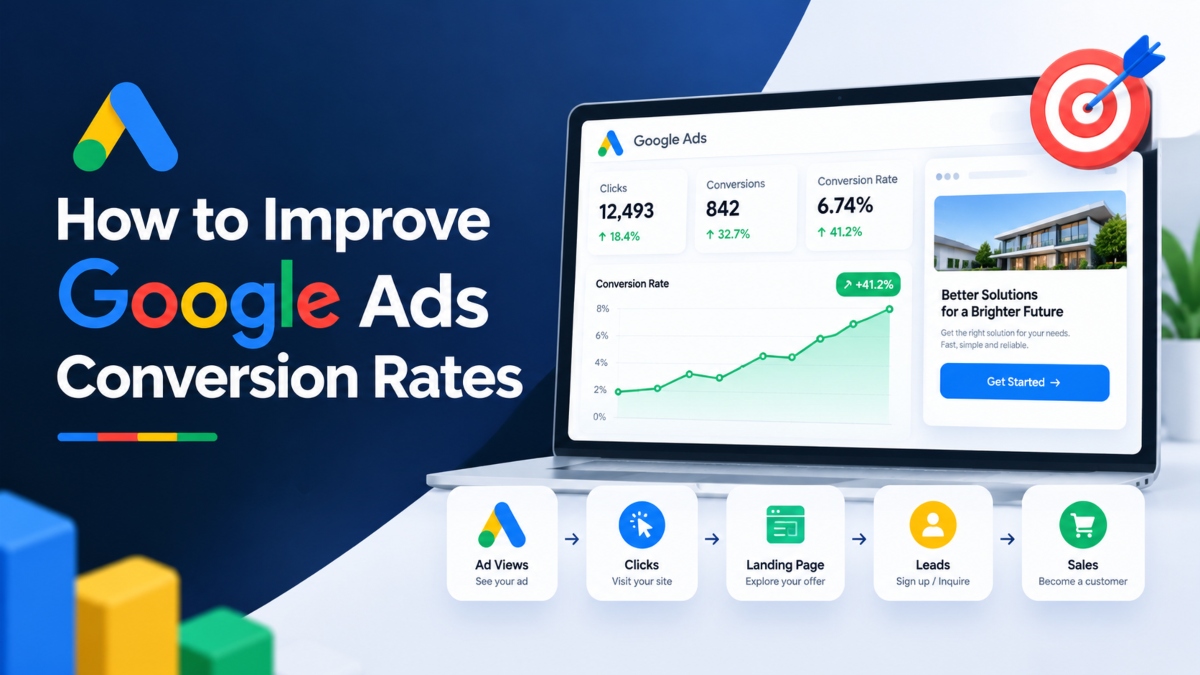
Running Google Ads can feel frustrating when clicks keep coming in but sales and leads remain low. You pay for every visit, watch your budget shrink, and still wonder why people leave without taking action.
The problem is not always your advertising budget. Sometimes you are attracting the wrong audience. In other cases, your ads promise something your landing page fails to deliver. Poor tracking, confusing forms, weak offers, and the wrong bidding strategy can also waste money.
Learning how to improve Google Ads conversion rates starts with understanding what happens before and after someone clicks your ad. You need to attract people who are likely to buy, give them a clear reason to act, and make the next step as easy as possible.
The good news is that you do not always need a larger budget to get better results. A few well planned changes can help you turn more clicks into valuable leads and sales.
In this guide, you will learn 14 practical ways to improve Google Ads conversion rates, reduce wasted spend, and get more value from your campaigns.
Understand Your Google Ads Conversion Rate
Before changing your campaigns, take a closer look at your current performance. Your conversion rate tells you how many people complete a desired action after clicking an ad.
That action might be purchasing a product, submitting a contact form, booking a consultation, requesting a quote, or signing up for a free trial.
How to Calculate Google Ads Conversion Rate
The formula is simple:
Conversion Rate = (Conversions ÷ Clicks) × 100
Suppose your campaign receives 500 clicks and generates 25 leads. Your conversion rate is 5%.
Now imagine another campaign receives the same number of clicks but generates only 10 leads. Its conversion rate is 2%.
The first campaign turns more visitors into leads, but that does not automatically make it the better campaign. You also need to consider how much each lead costs and whether those leads become paying customers.
Look Beyond Conversion Rate
A useful Google Ads performance review should include several metrics:
- Conversion rate: The percentage of clicks that result in conversions.
- Cost per conversion: The average amount spent to generate one conversion.
- Click through rate (CTR): The percentage of ad impressions that result in clicks.
- Conversion value: The revenue or assigned value generated by conversions.
- Return on ad spend (ROAS): The revenue generated for each unit of advertising spend.
- Lead quality: How many leads become genuine sales opportunities or customers.
For example, a campaign that generates ten qualified leads at a reasonable cost may be more valuable than one that produces thirty inquiries from people who never intend to buy.
Your goal is not simply to increase conversions. It is to generate more valuable business results from your advertising budget.
Set Up Accurate Google Ads Conversion Tracking
You cannot make good decisions if your conversion data is wrong.
Imagine spending weeks adjusting your ads because Google Ads reports very few conversions. Later, you discover that your form submissions were never tracked correctly. You may have changed a campaign that was already working.
This is why conversion tracking should be one of your first checks.
Track Actions That Matter to Your Business
Start by identifying the actions that represent genuine progress toward a sale.
For an online store, these might include completed purchases. For a service business, they could include qualified form submissions, booked appointments, and phone calls that lead to new customers.
For a SaaS company, meaningful actions might include trial registrations, demo bookings, or paid subscriptions.
Avoid treating every interaction as equally valuable. A page view or button click may help you understand visitor behavior, but it is not the same as a completed purchase or qualified lead.
Test Your Tracking Setup
Review your Google Ads conversion actions and check that the right events are being recorded.
Make sure that:
- Purchase and lead events fire when the intended action is completed.
- Duplicate conversion events are not inflating your totals.
- Conversion values are assigned where revenue measurement matters.
- Primary conversion actions reflect the outcomes you want your campaigns to generate.
- Enhanced conversions and consent settings are configured where appropriate.
If you use Google Analytics alongside Google Ads, check how conversions are measured in both systems. Differences in attribution settings, reporting windows, and event definitions can produce different totals.
Once your tracking is reliable, you can compare campaign performance with greater confidence and make changes based on actual results.
Target Keywords With Strong Buying Intent
Not everyone searching Google is ready to buy.
Someone searching for what is project management software may simply want information. Another person searching for project management software pricing may already be comparing products and preparing to make a decision.
Both searches can be useful, but they serve different purposes.
If your main goal is to generate sales or qualified leads, your keyword strategy should reflect that.
Group Keywords by Search Intent
Start by identifying what people want when they search for your product or service.
For example, a software company could separate its keywords into groups such as:
- CRM software pricing
- CRM software demo
- CRM software for small businesses
- Best CRM software for sales teams
Each group reflects a slightly different need. Creating focused ad groups allows you to write more relevant ads and direct users to pages that answer their specific questions.
A local service business might target searches such as emergency plumber in Manchester rather than relying entirely on broad terms such as plumbing.
The more closely your keywords match your offer, the easier it becomes to connect with the right people.
Use Search Terms to Find Better Opportunities
Your keyword list does not tell the whole story. The Search Terms Report shows the actual queries that triggered your ads.
Review it regularly to identify searches that generate leads or sales. These queries can help you find useful keyword ideas, create more focused ad groups, and improve your landing pages.
Pay attention to search terms that produce conversions at an acceptable cost. Where relevant, you can build dedicated campaigns or ad groups around proven opportunities.
Also review searches that generate clicks without meaningful results. They may reveal gaps in your targeting or messaging.
Remove Wasted Clicks With Negative Keywords
One of the easiest ways to waste a Google Ads budget is to pay for clicks from people who have no interest in your offer.
Negative keywords help prevent your ads from appearing for searches that are irrelevant to your business.
Suppose you sell paid accounting software. Your ads might appear for searches related to free accounting courses, accounting jobs, or software tutorials. These visitors may have no intention of purchasing your product.
Adding suitable negative keywords can reduce this unwanted traffic.
Build a Useful Negative Keyword List
Common categories worth reviewing include:
- Jobs, careers, salaries, and internships when you are advertising a product rather than employment opportunities.
- Free, DIY, and tutorial searches when these do not match your business model.
- Unrelated product names or service categories.
- Locations you do not serve.
- Informational searches that are unlikely to produce useful conversions.
These are starting points, not automatic exclusions. For example, someone searching for a free trial may be a strong prospect for a paid product.
Always check the search intent before blocking a term.
Review Search Terms Regularly
Make search term reviews part of your weekly or biweekly routine, depending on campaign volume.
Look for irrelevant queries, repeated patterns, and searches that spend money without producing meaningful results.
Remember that negative keyword match types work differently from regular keyword match types. Review the matching rules before adding exclusions, especially when a term could block useful traffic.
The goal is not to eliminate every click that fails to convert. It is to reduce avoidable spend while preserving opportunities to reach valuable customers.
Improve Ad Relevance and Message Match
When someone searches for a specific product or service, your ad should make it clear that you can meet their needs.
A generic ad may attract clicks, but a relevant ad gives people a stronger reason to visit your website.
Consider someone searching for an emergency plumber in Manchester.
An ad that says Professional Plumbing Services provides little detail. An ad that mentions emergency plumbing in Manchester, availability, and a clear way to request help gives the searcher more useful information.
Match Your Headlines to Search Intent
Use your headlines to address the main reason someone is searching.
If people are looking for pricing, mention plans, costs, or quotes where appropriate. If they want a demonstration, make that option clear. If they need urgent help, explain how they can contact you.
Keep your claims accurate. Do not promise instant delivery, guaranteed savings, or round the clock support unless your business can genuinely provide it.
Keep Your Ad and Landing Page Consistent
Your ad and landing page should feel like two parts of the same conversation.
If your ad promotes a discount on running shoes, visitors should arrive on a page where they can find those shoes and understand the offer. Sending them to a generic homepage creates unnecessary work.
The same principle applies to lead generation. An ad promising a free consultation should lead to a page that explains the consultation and provides a clear booking option.
Consistent messaging reduces confusion and helps visitors decide what to do next.
Write Ad Copy That Gives People a Reason to Act
People do not click ads simply because the wording sounds professional. They click because they expect the product or service to solve a problem, save time, reduce risk, or offer something they need.
Your ad copy should answer one basic question: Why should someone choose your business?
Focus on Benefits Rather Than Generic Claims
Instead of saying High Quality Marketing Services, explain what the customer receives.
For example:
Generic headline: Professional Marketing Solutions
More specific headline: Get More Qualified Leads With PPC
The second headline speaks to a clearer business goal. It gives the reader a better idea of what the service is intended to do.
You can also test specific benefits such as transparent pricing, free estimates, flexible plans, local expertise, or fast delivery when these claims are accurate.
If you have genuine customer ratings, certifications, or useful guarantees, consider including them where they are permitted and relevant.
Use Clear Calls to Action
A call to action tells the visitor what to do next.
Examples include:
- Book a Free Consultation
- Get a Custom Quote
- Start Your Free Trial
- Schedule a Product Demo
- Shop the Latest Collection
Choose an action that fits the visitor’s level of interest. Someone comparing software may prefer a short demonstration, while someone looking for emergency repairs may want to call immediately.
Avoid vague wording when a specific action would provide more clarity.
Test Responsive Search Ads and Ad Assets
Even a well written ad may not connect with every searcher. Testing different headlines, descriptions, and offers helps you find messaging that suits your audience.
Responsive Search Ads allow you to provide multiple headlines and descriptions that Google can combine in different ways.
Create Distinct Ad Variations
Do not write several versions that all make the same claim. Give each asset a different purpose.
For example, a web design agency could test messages around:
- Affordable website design
- Mobile friendly business websites
- Website redesign services
- Custom website development
- Free website consultation
These messages address different needs while remaining relevant to the service.
Review asset performance reports and replace weak or repetitive ideas with new variations. Ad Strength can help you assess the variety and quality of your assets, but it should not be treated as proof that an ad will generate more conversions.
Where possible, evaluate results using conversion data rather than relying on impressions or clicks alone.
Use Relevant Ad Assets
Ad assets can provide extra information and give users more ways to engage with your business.
Useful options include:
- Sitelinks: Direct users to pricing, service pages, product categories, or case studies.
- Call assets: Let users contact a business by phone where supported.
- Location assets: Help people find businesses with physical locations.
- Promotion assets: Display eligible offers or discounts.
- Structured snippets: Present details about services, brands, or product categories.
Choose assets based on what your audience needs. Adding every available option is not necessary if it does not help the searcher make a decision.
Optimize Landing Pages for More Conversions
A successful ad can still produce poor results if the landing page fails to meet the visitor’s expectations.
Think about what happens after the click. The visitor has shown some interest, but they still need a reason to trust your business and complete the next step.
Your landing page should make that decision easier.
Match the Headline to the Ad
The main headline should confirm that the visitor has arrived at the right place.
If your ad offers a free SEO audit, the landing page should clearly mention the audit and explain what the user receives.
Avoid forcing visitors to search through several sections to find the information they expected.
Place the primary call to action somewhere easy to see, especially near the top of the page. Repeat it later when appropriate, particularly on longer pages.
Make Forms Short and Simple
Every extra form field asks visitors to spend more time and share more information.
For a basic consultation request, you may only need a name, email address, and a short description of the user’s needs. More detailed information can be collected later if necessary.
The right form length depends on your business. A high value B2B service may need additional qualifying questions, while an online newsletter signup should require very little effort.
Test the form rather than assuming that shorter is always better.
Build Trust With Useful Evidence
Visitors may hesitate if they do not know who you are or whether your offer is genuine.
Help them make a decision with relevant evidence, such as:
- Genuine customer reviews and testimonials
- Case studies with clear results and context
- Relevant certifications
- Product images or demonstration videos
- Transparent pricing and terms
- Clear contact information
- A genuine refund policy or guarantee, where applicable
Keep the page focused on the main conversion goal. Unnecessary menus, unrelated offers, intrusive pop ups, and competing calls to action can distract visitors from completing the intended action.
Improve Mobile Landing Page Performance
A landing page that looks excellent on a desktop screen may be frustrating to use on a phone.
Text can become difficult to read, buttons may be too small, and forms can take too long to complete. These problems can cost you conversions even when your ads attract the right audience.
Make Mobile Pages Fast and Easy to Use
Start with the basics.
Compress oversized images, remove unnecessary scripts, and review page loading performance. Use readable text, clear spacing, and navigation that works comfortably on smaller screens.
Test the full experience on an actual mobile device. Check whether the page loads properly, the main offer is visible, and the call to action works as expected.
Simplify Calls and Forms
For a local service business, a click to call button may be more useful than a long contact form.
For an online store, a simple checkout process with familiar payment options can reduce friction.
Make sure buttons are large enough to tap comfortably and that visitors do not need to zoom in to complete a form.
Also check whether pop ups cover important content or make it difficult to reach the main action.
Small usability problems can add up. Fixing them may help you get more value from the traffic you already pay for.
Improve Your Offer
Sometimes your ads are relevant and your landing page works well, but visitors still hesitate.
The offer itself may not give them enough reason to take action.
Imagine two software companies selling similar products. One asks visitors to contact sales without explaining what happens next. The other offers a free 15 minute demonstration that shows how the product works.
The second offer gives visitors a clearer idea of what they will receive and how much time they need to commit.
Test Offers That Reduce Buyer Hesitation
Depending on your business, useful options may include:
- A free trial for eligible software products
- A free consultation or initial assessment
- A no obligation estimate
- A first purchase discount
- A transparent pricing plan
- A product demonstration
- Flexible payment options
- A genuine money back guarantee
Choose an offer that attracts the right customers, not just more people.
A large discount might increase orders but reduce profit. A free consultation might generate more inquiries but also attract people who are unlikely to become customers.
Measure the quality and value of the results before deciding whether an offer is working.
Make the Next Step Clear
Visitors should know what happens after they click the CTA.
Will they receive a quote? Speak with a specialist? Access a trial? Complete a purchase?
Explain the process in simple language. Removing uncertainty can make it easier for interested visitors to move forward.
Choose the Right Google Ads Bidding Strategy
Your bidding strategy influences how Google Ads uses your budget to pursue campaign goals. Choosing the right option starts with understanding what you want to achieve and how reliable your conversion data is.
Automated bidding can be useful, but it cannot correct poor tracking or turn irrelevant traffic into qualified leads on its own.
When to Use Maximize Conversions and Target CPA
Maximize Conversions aims to generate as many conversions as possible within your budget.
Target CPA adds a target average cost per acquisition to guide bidding. It may suit campaigns that have a reasonably stable understanding of what it costs to generate a conversion.
Before using either strategy, check that your conversion actions measure meaningful outcomes. If the campaign counts unimportant actions, automated bidding may chase those instead of the results your business needs.
Do not assume that every campaign requires the same amount of historical data. Performance depends on the conversion goal, traffic volume, sales cycle, and campaign setup.
When to Use Target ROAS
Target ROAS is designed for campaigns that can assign meaningful values to conversions.
It may be useful for online stores selling products at different prices. A campaign that generates a small number of high value orders may be more valuable than one that generates many low value orders.
For lead generation, conversion values can also be useful when different lead types have different expected revenue. However, values should be based on a reasonable business model rather than guesses.
Once you change a bidding strategy, give it time to adjust and gather enough data to assess performance. Avoid making repeated changes based on short term fluctuations.
Segment Campaigns by Audience, Device, and Location
Campaign averages can hide important differences in performance.
Your desktop traffic might generate strong leads while mobile visitors leave before submitting a form. One location may produce profitable sales while another generates expensive inquiries.
Looking at segments can help you find these patterns.
Compare Mobile and Desktop Results
Review conversion rate, cost per conversion, and conversion value by device.
If mobile performance is weak, check the landing page, form, loading speed, and checkout experience before assuming the problem lies with your bidding strategy.
Do not make large changes based on a handful of clicks. Look for patterns supported by enough data to make a reasonable decision.
Review Location, Time, and Audience Performance
Local businesses should check whether their ads reach areas they can actually serve.
Other useful comparisons include branded versus non branded searches, new versus returning visitors where measurement is available, and performance across different days or times.
Audience segments and audience signals can help you understand who responds to your ads. Their value depends on campaign type, targeting settings, and the quality of available data.
Use segmentation to find useful opportunities, not to create unnecessary complexity in your account.
Run Controlled A/B Tests
Guessing which headline, offer, or landing page will perform best can waste time and money.
Testing gives you a way to compare alternatives using actual campaign results.
The key is to test a clear idea and measure the outcome that matters.
Start With High Value Changes
You do not need to test every element at once.
Start with areas that may have a direct effect on conversions, such as:
- Landing page headline
- Main offer
- Primary call to action
- Form length
- Pricing presentation
- Trust signals
- Checkout steps
For example, a marketing agency could compare a “Contact Us” CTA with a “Get a Free PPC Audit” CTA.
The hypothesis might be that a specific offer will encourage more qualified prospects to submit the form.
Run a controlled test where possible and compare the conversion results.
Measure Results Before Choosing a Winner
A test needs enough data to support a useful conclusion. A page that generates three conversions from twenty clicks may appear successful, but such a small sample can produce misleading results.
Consider conversion volume, traffic quality, cost per conversion, and lead quality. For sales campaigns, revenue and profit may matter more than the number of orders alone.
Avoid changing multiple important elements during the same test unless your testing method can separate their effects.
Keep a record of what you changed, why you changed it, and what happened afterward. Over time, this creates a useful record of what works for your audience.
Review the Full Conversion Funnel
A low Google Ads conversion rate does not always mean your ads are the problem.
Visitors may click the ad, explore your website, and leave because the offer is unclear. Others may start a form but abandon it because it asks too many questions. Online shoppers may leave when shipping costs appear at checkout.
Looking at the full journey helps you find where potential customers drop off.
Find Problems Between the Click and the Conversion
Review each stage of the process:
- Search query: Is the visitor looking for something your business provides?
- Ad: Does the message answer the visitor’s need?
- Landing page: Does the page deliver what the ad promised?
- Call to action: Is the next step clear?
- Form or checkout: Is the process simple and reliable?
- Follow up: Does your business respond to leads quickly?
If many visitors reach the landing page but few start the form, the offer or page content may need attention.
If many people start the form but do not finish, check the number of fields, validation errors, and mobile usability.
If leads arrive but sales remain low, review lead quality and the sales process before blaming the campaign.
Track Lead Quality and Revenue
A completed form is not always a successful business outcome.
For lead generation, monitor which inquiries become qualified opportunities and paying customers. If possible, connect sales outcomes to your advertising reports so you can assess which campaigns produce valuable leads.
For e commerce, review order value, product margins, returns, and revenue after advertising costs.
This wider view helps you make decisions based on business performance rather than clicks and conversions alone.
Google Ads Conversion Rate Optimization Checklist
Use this checklist during your next campaign review.
- Verify that conversion tracking records the right actions.
- Review the Search Terms Report for irrelevant traffic.
- Add suitable negative keywords.
- Group keywords by search intent.
- Match ad headlines and descriptions to the offer.
- Test relevant ad variations and assets.
- Send visitors to focused landing pages.
- Improve mobile speed and usability.
- Simplify forms and checkout steps.
- Test offers and calls to action.
- Review bidding strategy and conversion values.
- Compare conversion rate with cost per conversion and ROAS.
- Check lead quality and revenue.
- Record test results before making further changes.
You do not need to make every change at once. Start with the problem that is most likely to waste money or prevent qualified visitors from converting.
Frequently Asked Questions
What Is a Good Conversion Rate for Google Ads?
There is no single conversion rate that works for every Google Ads campaign. Results vary by industry, product price, campaign type, search intent, landing page, and conversion goal. Compare your performance with similar campaigns where reliable data is available, then use your own historical results to track progress.
How Can I Increase My Google Ads Conversion Rate Quickly?
Start by checking conversion tracking, removing clearly irrelevant search traffic, and making sure your ads match their landing pages. Fix obvious problems with page speed, forms, checkout, or calls to action. These changes may help, but the speed of improvement depends on your traffic, offer, and existing campaign performance.
Why Is My Google Ads Conversion Rate So Low?
Common causes include broad keyword targeting, irrelevant search terms, unclear ad copy, a weak offer, slow landing pages, confusing forms, and tracking problems. Review the full journey from search query to completed conversion to find where people leave. Do not change your bidding strategy until you understand the main problem.
How Do I Calculate Google Ads Conversion Rate?
Divide the number of conversions by the number of clicks and multiply by 100. If your ads receive 800 clicks and generate 40 conversions, your conversion rate is 5%. Use the same conversion definitions when comparing campaigns so your results remain meaningful.
Do Negative Keywords Improve Google Ads Conversion Rates?
They can improve conversion rates by filtering out searches that are unlikely to produce useful leads or sales. Review the Search Terms Report to identify irrelevant queries and exclude them where appropriate. Be careful not to block useful searches, including people looking for free trials or affordable options that your business actually offers.
Does Landing Page Quality Affect Google Ads Conversions?
Yes. A relevant landing page can help visitors understand the offer and complete the intended action. Clear headlines, visible calls to action, fast loading, mobile friendly layouts, genuine trust signals, and simple forms can all help. The best changes depend on what prevents your current visitors from converting.
Which Google Ads Bidding Strategy Is Best for Conversions?
Maximize Conversions aims to generate as many conversions as possible within your budget, while Target CPA guides bidding toward a target average acquisition cost. Target ROAS focuses on conversion value relative to ad spend. The right option depends on your goals, tracking accuracy, conversion history, and the value of each conversion.
How Often Should I Optimize Google Ads Campaigns?
Review tracking, search terms, and performance regularly. Weekly or biweekly reviews can work well for many accounts, although high volume campaigns may need closer monitoring. Make major changes carefully and allow enough time for results to become clear. Avoid adjusting bids, budgets, and targeting repeatedly in response to small short term fluctuations.
Final Thoughts
Improving Google Ads conversion rates is not about finding one secret setting or writing a clever headline. It comes from understanding what your customers want, attracting relevant traffic, and removing the barriers that stop people from taking action.
Start with accurate conversion tracking. Review the searches that bring visitors to your website, improve the connection between your ads and landing pages, and give people a clear reason to choose your offer. Then test changes and measure the results.
Most importantly, look beyond the number of conversions. A campaign that generates fewer but better leads may deliver more value than one that fills your inbox with unqualified inquiries.
When you connect campaign data with real business outcomes, you can make smarter decisions, reduce wasted spend, and build Google Ads campaigns that work harder for your business.
Read More: Growth Marketing vs Traditional Marketing