
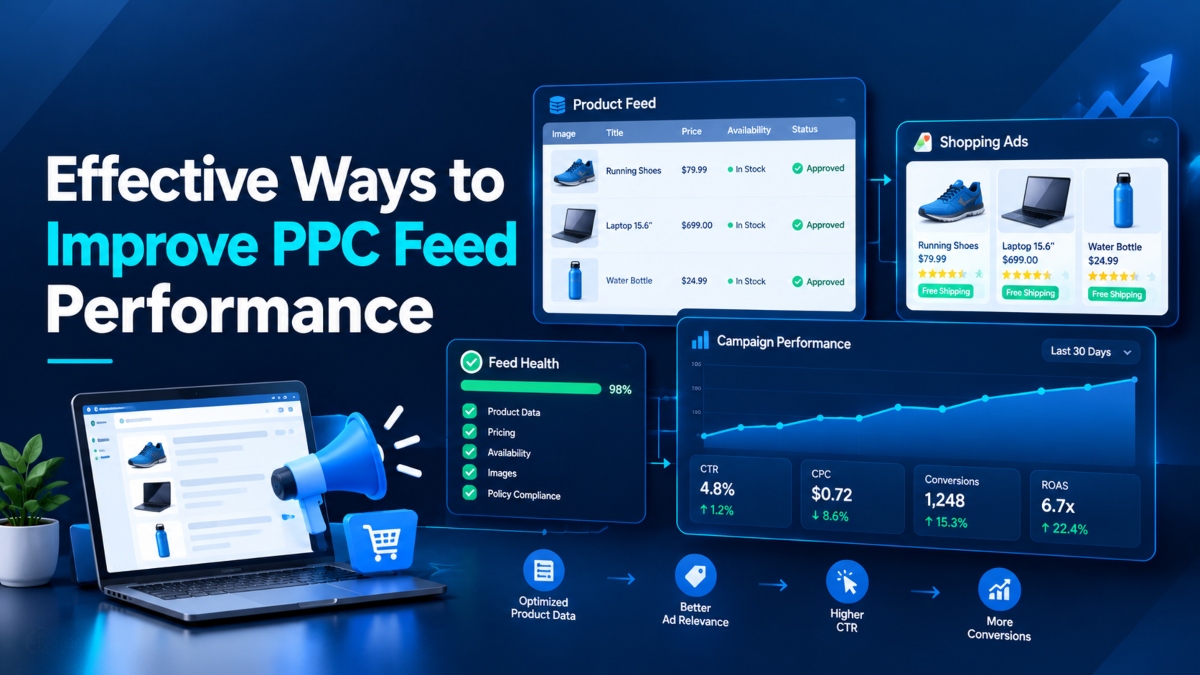
Running Google Shopping ads is not just about setting a budget and waiting for sales. Your product data has a lot to do with what shoppers see, which searches your products match, and whether people click through to your store.
Imagine a customer searching for blue running shoes. Your store sells exactly what they need, but your product title only says “Running Shoes.” The price is outdated, the available sizes are unclear, and the main image does little to show the product. Even with a reasonable ad budget, your listing may struggle to attract the right shoppers.
This is where PPC feed optimization comes in.
A well managed product feed gives advertising platforms accurate information about your products. It helps them understand what you sell and gives shoppers a clearer picture of what they can expect after clicking an ad.
The good news is that you do not need to rebuild your entire advertising strategy to get started. Small improvements to product titles, images, pricing, attributes, and landing pages can help you find problems and make better campaign decisions.
In this guide, you will learn effective ways to improve PPC feed performance, fix common product data errors, and measure whether your changes are producing better results.
1. Understand How Product Feeds Affect PPC Performance
A product feed is a structured file or data source that contains information about the products in your online store. It usually includes product names, descriptions, prices, images, availability, landing page URLs, and other details.
For Google Shopping and retail Performance Max campaigns, this information helps Google understand the products you sell and decide when they may be relevant to a shopper’s search or other advertising opportunities.
Think of your feed as the product information behind your ads. If the details are accurate and complete, the platform has a clearer picture of each item. If the data is missing, outdated, or confusing, products may face eligibility problems or appear in less relevant situations.
What Is PPC Feed Optimization?
PPC feed optimization means improving the information submitted to an advertising platform so your products can be identified and presented accurately.
This process includes:
- Writing clear product titles with useful attributes.
- Creating accurate product descriptions.
- Using suitable product images.
- Keeping prices and availability current.
- Adding relevant identifiers and category details.
- Fixing product disapprovals and feed warnings.
- Checking that feed data matches the product landing page.
These tasks may seem small when viewed separately. Together, they give your campaigns a more reliable data foundation.
Why Feed Quality Matters for Google Shopping and Performance Max
Google uses product data to understand the items available in your store. Accurate data supports product eligibility and helps the platform match products with relevant searches and advertising opportunities.
However, a better feed does not guarantee more clicks or sales. Competition, bids, pricing, customer demand, landing page quality, and conversion tracking also affect results.
The practical goal is simple: give Google accurate product information, help shoppers understand each offer, and remove avoidable barriers between an ad impression and a purchase.
2. Keep Product Prices and Availability Accurate
Few things frustrate shoppers more than clicking an ad for a product at one price and finding a different price on the website. The same problem occurs when an ad promotes an item that is no longer available.
These mismatches can damage customer trust and lead to product issues in Google Merchant Center.
Match Prices, Stock Levels, Shipping, and Tax Details
Start by comparing your product feed with the information displayed on your website. Check the regular price, sale price, currency, stock status, shipping details, and applicable tax information.
Pay close attention to sale prices. If a promotion ends on your website but remains active in your feed, shoppers may see an offer that no longer exists.
Inventory deserves the same attention. If a product sells out, update its availability through your feed management system. This reduces the chance of advertising an unavailable item and helps keep product information accurate.
For stores with frequent stock changes, automated inventory updates can save time and reduce manual errors.
Assign Unique IDs to Products and Variants
Every product in your feed needs a consistent identifier. Different sizes, colors, or configurations may require separate item IDs, depending on how the products are submitted.
For example, a shoe available in black and white should have a clear structure that distinguishes each variant. If your store uses the same identifier for unrelated products, tracking and feed management can become difficult.
Keep product IDs consistent across feed updates. Changing them without a good reason can disrupt historical product data and make ongoing analysis less reliable.
Check Landing Page and Image URLs
Test product links regularly. Each URL should lead to the correct product or supported variant, not a generic homepage or an unrelated category.
Also check for broken links, redirects, inaccessible images, and pages that return errors. A technically sound feed is of little use if customers cannot reach the product being advertised.
A simple weekly review of price, availability, product IDs, and URLs can catch many avoidable problems before they grow.
3. Optimize Product Titles for Relevant Searches
Product titles are among the most useful fields in a Google Shopping feed. They tell shoppers what an item is and help Google understand which searches may match it.
A vague title leaves too much guesswork. A clear title gives both the platform and the shopper more useful information.
Follow a Clear Product Title Formula
A useful starting point is:
Brand + Product Type + Key Attribute + Model or Variant
The exact order depends on the product category and the details customers care about most.
For example:
| Weak product title | Improved product title |
|---|---|
| Running Shoes | Nike Men’s Air Zoom Pegasus Running Shoes, Blue |
| Water Bottle | Hydro Flask Stainless Steel Water Bottle, 32 oz |
| Office Chair | Ergonomic Mesh Office Chair With Adjustable Arms |
| Laptop | Lenovo ThinkPad E14, 14 Inch Laptop, 16 GB RAM |
These examples give shoppers more context before they click. They identify the product and include details that can distinguish it from similar items.
Add Relevant Attributes Without Keyword Stuffing
Choose attributes based on the product and how customers search for it.
For clothing, useful details may include brand, size, color, material, and gender where relevant. Electronics may need a model name, storage capacity, screen size, or compatibility details. Furniture may benefit from dimensions, material, and style.
Do not force every possible keyword into every title. A product title should describe the item, not read like a list of search terms.
Avoid unnecessary capital letters, promotional messages, unrelated accessories, and claims that do not describe the actual product. Keep the wording natural and follow the relevant platform rules.
Test Title Changes With Real Data
Start with products that receive impressions but have a low click through rate. Review their titles alongside images, prices, and competing offers.
Then update a small group of titles and compare results over a suitable period. Keep other changes limited where possible so you can better understand what may have influenced performance.
Remember that a low click through rate does not always mean the title is poor. Price, product demand, image quality, and competition can all affect whether a shopper clicks.
4. Write Clear and Search Friendly Product Descriptions
A product description should answer the questions a shopper is likely to have before buying. It should explain what the item is, what it offers, and which features distinguish it from similar products.
A vague description such as “high quality product with excellent features” tells customers very little. Specific, accurate details are far more useful.
Include Product Benefits and Useful Details
Depending on the product, include information such as:
- Material, dimensions, size, and color.
- Model number and compatibility.
- Intended use and relevant features.
- Included accessories or items in the package.
- Design details, patterns, and finish.
- Verified product benefits.
For example, a description for an office chair could mention its mesh back, adjustable arms, seat height range, and supported weight limit, provided those details are accurate.
These details help customers decide whether the product meets their needs. They also give the platform more information about the item.
Avoid Repetition and Unsupported Claims
You do not need to copy the entire product page into your feed. Instead, provide a concise description that covers the most useful product facts.
Avoid repeating the same keyword several times or using claims such as “the best chair on the market” without evidence. Do not promise results that the product cannot guarantee.
Keep descriptions consistent with the landing page. If the feed mentions a feature that the website does not confirm, shoppers may question the accuracy of the offer.
A useful description makes the product easier to understand without making the customer work through unnecessary text.
5. Improve Product Image Quality
Customers often decide whether a product is worth a closer look before they read its description. In Shopping ads, the main image is one of the first things they notice.
A blurry photo, an incorrect product variant, or an image filled with unnecessary graphics can make a listing less appealing. Clear product photography gives shoppers a better idea of what they will receive.
Use Clear Main Images With the Product in Focus
Use high resolution images that show the actual product clearly. A clean white or neutral background works well for many product categories, although the best presentation depends on the item and Google’s image rules.
Make sure the product occupies enough of the image to remain easy to see on smaller screens. Google recommends that the product fill roughly 75% to 90% of the image area for relevant Shopping image formats.
Avoid watermarks, promotional badges, decorative borders, collages, and placeholder images where these violate platform requirements. The image should represent the advertised item accurately.
Add Alternate Views and Lifestyle Images
One image rarely answers every customer question.
Additional images can show the product from different angles, reveal its texture, demonstrate its size, or show how it looks in everyday use.
For example, a backpack listing could include a front view, an image of the storage compartments, a close up of the material, and a lifestyle image showing the bag being worn.
These extra views help shoppers understand the product before visiting your store.
Check Image URLs and Platform Requirements
Make sure image URLs use HTTP or HTTPS, remain accessible to the advertising platform, and point to the correct product variant.
Review images after product updates, particularly when manufacturers change packaging or introduce a new model. Also check the latest image size and format rules for the campaign placements you use.
For retail Performance Max campaigns, Google has specific image requirements for certain placements. Meeting the relevant technical requirements helps keep your assets eligible to serve.
6. Complete Missing Product Attributes and Identifiers
A product feed can contain hundreds or thousands of items, but each item still needs the right information. Missing attributes can make products harder to identify and may create eligibility or matching problems.
Start with the required fields for your product category and destination. Then add relevant optional attributes that help describe your products more accurately.
Add GTIN, Brand, and MPN Where Applicable
GTIN stands for Global Trade Item Number. It identifies a trade item, such as a product sold by a manufacturer. A brand identifies the product’s maker or brand owner, while an MPN is a manufacturer’s part number.
These identifiers help distinguish products from similar items.
If a valid GTIN exists, submit the correct value. Do not create a fake number to fill an empty field. When a GTIN is not available, follow Google’s identifier rules for that product and supply the brand and MPN where applicable.
Accurate identifiers can improve product identification and reduce confusion between similar models.
Add Relevant Variant and Category Attributes
The right attributes depend on what you sell.
| Product type | Useful attributes |
|---|---|
| Clothing | Size, color, material, gender, age group |
| Electronics | Brand, model, storage, screen size, compatibility |
| Furniture | Material, dimensions, color, product type |
| Footwear | Size, color, gender, age group, brand |
| Beauty products | Brand, size, product type, shade where relevant |
Use the correct Google product category and a useful product type. These fields help organize your catalog and support campaign management.
Do not add attributes that do not apply to an item. Accuracy matters more than filling every available field.
Use Custom Labels for Better Product Grouping
Custom labels let you group products according to business needs. You might create labels for high margin products, bestsellers, clearance stock, new arrivals, or seasonal items.
For example, a retailer could use one label for products with strong profit margins and another for items that need to sell before the end of a season.
These labels do not automatically improve ad rankings. Their value comes from the additional control they offer when reviewing products, organizing campaigns, and making budget decisions.
7. Find and Fix Google Merchant Center Feed Errors
Even a well maintained catalog can develop errors. A price changes, a product URL breaks, an identifier is entered incorrectly, or a required attribute disappears during a feed update.
Leaving these issues unresolved can prevent products from appearing in ads or create problems for shoppers.
Review Product Diagnostics and Disapprovals
Open Google Merchant Center and review the product issues and diagnostics available in your account.
Look for problems such as:
- Price or availability mismatches.
- Missing required attributes.
- Invalid GTIN, brand, or category values.
- Broken landing page or image URLs.
- Duplicate or inconsistent product IDs.
- Incorrect variant information.
- Product data that violates platform policies.
Fix the underlying cause rather than repeatedly uploading the same incorrect information.
For example, if Merchant Center reports that a product price differs from the landing page, check both your store and the feed generation process. Correcting only one side may leave the problem unresolved.
Create a Weekly Feed Quality Check
A weekly review gives you a regular opportunity to catch errors before they affect a large part of your catalog.
Check new disapprovals, warning messages, missing attributes, broken links, and products that have stopped receiving traffic unexpectedly. For stores with frequent price or inventory changes, run additional checks whenever important updates occur.
Keep a record of the issue, its cause, the correction, and the date it was resolved. Over time, this record can reveal recurring problems in your feed process.
A consistent review routine is more useful than waiting until campaign performance drops before investigating.
8. Keep Product Feeds Updated Automatically
Product information changes constantly. Prices move, products sell out, new variants arrive, and seasonal offers end.
If your feed does not reflect these changes, your ads may continue to show information that no longer matches your store.
The right update method depends on the size of your catalog and how frequently your product data changes.
Choose Scheduled Fetches, APIs, or Supplemental Feeds
Scheduled fetches: A suitable option for stores with relatively stable catalogs. The platform retrieves the feed according to a set schedule.
API based updates: Useful for larger catalogs or stores where prices and inventory change frequently. They can support faster data updates when properly configured.
Supplemental feeds: Helpful when you need to add or correct certain attributes without rebuilding your primary feed.
Automatic item updates: Google can use information detected on your website to help identify price and availability discrepancies. Treat this as an extra safeguard, not a replacement for maintaining accurate source data.
Match Update Frequency to Your Catalog
A store selling a small range of products with stable prices may not need the same update schedule as a retailer with thousands of items and frequent stock changes.
Review how often your data changes, then set a schedule that reflects those changes and the platform’s requirements.
For large catalogs, pay special attention to prices, stock levels, and sale status. These fields can become outdated quickly and directly affect what customers see.
Automation saves time, but it still needs monitoring. If your source system contains incorrect data, faster updates can spread the error just as quickly.
9. Match Product Feeds With Landing Pages
Getting a shopper to click an ad is only one part of the job. The landing page must deliver what the ad promised and make it easy for the customer to take the next step.
Imagine clicking an ad for a particular laptop configuration and landing on a general electronics page. You then have to search for the model, select the correct memory option, and check whether the advertised price still applies.
Some shoppers may continue. Others will leave.
Maintain Consistent Product Details Across Every Touchpoint
Check that the product name, price, image, availability, and selected variant match the information in your feed.
Send shoppers directly to the relevant product page whenever possible. If a product has several variants, make it easy to select or view the advertised option.
Shipping costs, delivery information, and return policies should also be easy to find. Clear details help customers understand the full offer before they buy.
Improve Mobile Speed and the Buying Process
Many shoppers browse products on their phones, so test your landing pages on smaller screens.
Check page loading time, image display, product descriptions, navigation, and the add to cart process. Remove unnecessary steps that make it harder to complete a purchase.
Avoid intrusive pop ups that block important product details or make navigation difficult.
If your ads generate clicks but few sales, do not assume the feed is the only problem. Review the landing page, pricing, shipping costs, product availability, and checkout experience before changing your campaign settings.
10. Group Products for Better Campaign Control
Not every product deserves the same advertising budget. Some items have healthy margins and steady demand, while others sell slowly or generate little profit.
Organizing products into meaningful groups helps you understand these differences and make better campaign decisions.
Segment Products by Margin, Category, and Sales History
Useful product groups include:
- Bestselling products with consistent sales.
- High margin products with healthy profit potential.
- Clearance products that need to sell soon.
- Seasonal products tied to specific shopping periods.
- New arrivals with limited performance history.
- Low stock products that may need different advertising treatment.
For example, a clothing store might review winter coats separately from basic T shirts. The products have different demand patterns, prices, and seasonal windows.
Custom labels can help identify these groups in your feed.
Use Listing Groups and Custom Labels Together
Custom labels describe the groups you create in your product data. Listing groups in Shopping and retail Performance Max campaigns help organize which products are included in particular campaign structures.
They serve related but different purposes.
You can use labels to identify high margin products, then use suitable campaign controls to review or manage those items separately where supported.
Avoid creating so many groups that reporting becomes difficult to maintain. Start with a few categories that reflect meaningful differences in profitability, demand, or inventory.
Review the results before making large changes to budgets or exclusions. A product with low sales may need better data or a stronger offer rather than less advertising.
11. Improve Performance Max Campaigns With Better Feed Data
Performance Max campaigns use Google’s automated systems to serve ads across supported Google channels. For retail campaigns, the linked Merchant Center account and product feed provide key information about the items being advertised.
Automation can help manage campaign delivery, but it does not remove the need for accurate product data.
Resolve Product Issues Before Expanding Campaigns
Start by checking which products are approved and which have warnings or disapprovals.
Review titles, descriptions, images, identifiers, prices, availability, and landing pages. If a product cannot serve because of a data or policy issue, increasing the campaign budget will not solve the underlying problem.
Fix those issues before making major changes to campaign spending.
Add Suitable Creative Assets and Audience Signals
Where applicable, provide relevant headlines, descriptions, brand assets, and high quality creative images. These assets give the campaign additional material to use across supported placements.
Audience signals can also provide useful information about the types of people likely to be interested in your products. However, they are signals for Google’s automated systems, not a guarantee that ads will only reach those users.
Keep the creative consistent with the products and offers in your feed. A headline that promises a discount should reflect an actual offer available on the landing page.
Review Product Results Before Changing Budgets
Check which products or product groups contribute to conversions and revenue. Compare those results with margins, stock levels, and business goals.
Do not assume that a campaign is healthy simply because it spends its full budget or generates many clicks. The commercial value of those clicks matters.
Use the available reporting and campaign controls to identify weak areas, test suitable changes, and review the results before expanding spending.
12. Track the Metrics That Show Feed Performance
Feed optimization needs measurement. Without it, you may spend time rewriting titles or replacing images without knowing whether the changes have helped.
Choose metrics that connect product visibility with customer behavior and business results.
| Metric | What it tells you |
|---|---|
| Impressions | How often products are shown |
| Click through rate (CTR) | How often impressions generate clicks |
| Clicks | How much traffic the ads attract |
| Conversion rate | How often clicks lead to a desired action |
| Cost per conversion | How much each conversion costs |
| Return on ad spend (ROAS) | Revenue attributed to ads relative to ad spend |
| Disapproval rate | The share of products affected by disapproval, using a consistent definition |
| Product level conversion data | Which products contribute to conversions |
Monitor Impressions, CTR, and Conversion Rate
Impressions can help you understand visibility, but they do not tell the whole story.
If impressions are healthy but CTR is low, review the product title, image, price, offer, and relevance to the searches that trigger your ads.
If CTR is healthy but conversion rate is weak, inspect the landing page, delivery costs, product details, and checkout experience.
These patterns help narrow the investigation, although they do not prove that one specific issue caused the result.
Track Cost Per Conversion and ROAS
Cost per conversion shows how much advertising spend is associated with each recorded conversion. ROAS compares the revenue attributed to advertising with the amount spent.
For example, if a campaign spends $500 and generates $2,000 in attributed revenue, its ROAS is 4x.
That does not automatically mean the campaign is profitable. Product costs, shipping, returns, fees, and other business expenses still matter.
Set targets that reflect your margins and business model rather than copying another store’s numbers.
Compare Results Before and After Changes
Record a baseline before changing product data. Then compare results over a suitable period, taking account of seasonality, demand, competition, and changes to budgets or bidding.
Where possible, test changes on a limited product group before rolling them out across the entire catalog.
This gives you a clearer view of which changes deserve further testing.
13. Follow a Practical PPC Feed Optimization Checklist
A simple routine can make feed management easier, particularly when your catalog contains hundreds or thousands of products.
Daily, Weekly, and Monthly Feed Checks
Daily or after major catalog updates
- Check critical price and inventory changes.
- Confirm that important products remain available.
- Investigate sudden feed processing failures.
Weekly
- Review product disapprovals and warnings.
- Check broken URLs and missing attributes.
- Review products with unusual changes in impressions, clicks, or conversions.
- Update titles or images where the data supports a change.
Monthly
- Review custom labels and product groups.
- Compare results by category, margin, and sales history.
- Check whether automated feed updates are working as expected.
- Identify recurring data errors and fix their source.
Adjust this schedule to match the size and activity of your store.
Test Feed Changes in Small Batches
Avoid changing every title, image, and description at once if you want to understand which updates helped.
Choose one category or product group, document the existing performance, and make a focused change. Allow enough time for the data to become useful, then compare the results.
For example, you could update the titles of a group of running shoes, then review CTR, conversion rate, and revenue alongside other relevant measures.
Keep a record of what changed and when. This makes future decisions easier and reduces the risk of repeating tests that have already failed.
Frequently Asked Questions About PPC Feed Performance
What Is PPC Feed Optimization?
PPC feed optimization is the process of improving product information submitted to advertising platforms. It covers titles, descriptions, prices, images, availability, identifiers, and other attributes. The goal is to provide accurate product data, support relevant matching, reduce avoidable errors, and give shoppers a clear view of each offer.
How Does Product Feed Quality Affect Google Shopping Ads?
Product feed quality helps Google understand what a product is and whether it meets the requirements to appear in ads. Accurate titles, prices, images, and attributes can support relevant product matching. Incorrect or missing information may cause disapprovals or mismatches that affect the shopping experience.
How Often Should You Update a PPC Product Feed?
The right schedule depends on how often your product data changes. Stores with frequent price and inventory changes may need near real time updates, while catalogs with stable information may work with scheduled fetches. Check platform requirements and make sure important changes reach the feed promptly.
Which Product Attributes Matter Most for Google Shopping?
Common core attributes include title, description, image link, product link, price, availability, brand, and condition, subject to the applicable product requirements. GTIN, MPN, category, size, color, and other variant attributes can also matter depending on the item. Always check the requirements for your product type.
How Can You Reduce Google Merchant Center Product Disapprovals?
Review product issues regularly and correct the underlying causes. Check price and availability mismatches, missing required attributes, invalid identifiers, broken URLs, image problems, and policy violations. After fixing an issue, allow the platform to process the updated data and verify the product status.
Does Product Feed Optimization Improve ROAS?
It can support better campaign results by improving product data accuracy, relevance, and the shopping experience. However, ROAS also depends on advertising costs, competition, product margins, prices, landing pages, and conversion tracking. Measure changes against actual campaign results rather than assuming that every feed improvement will increase revenue.
Final Takeaway: Build Better PPC Results Through Feed Quality
Improving PPC feed performance starts with getting the basics right. Keep product data accurate, write useful titles, add relevant attributes, use clear images, and make sure every ad leads to the correct landing page.
Then build a regular process for checking feed errors, updating stock and prices, grouping products, and reviewing campaign results.
You do not have to change everything at once. Start with the products that have the most serious errors or the clearest room for improvement. Test a few changes, measure the results, and use what you learn to guide the next round of updates.
A reliable product feed gives your advertising campaigns a stronger foundation. Combined with sound campaign management and a good buying experience, it can help you make better use of your PPC budget.
Read More: Dropshipping vs. Inventory: Which Business Model Is Best?