
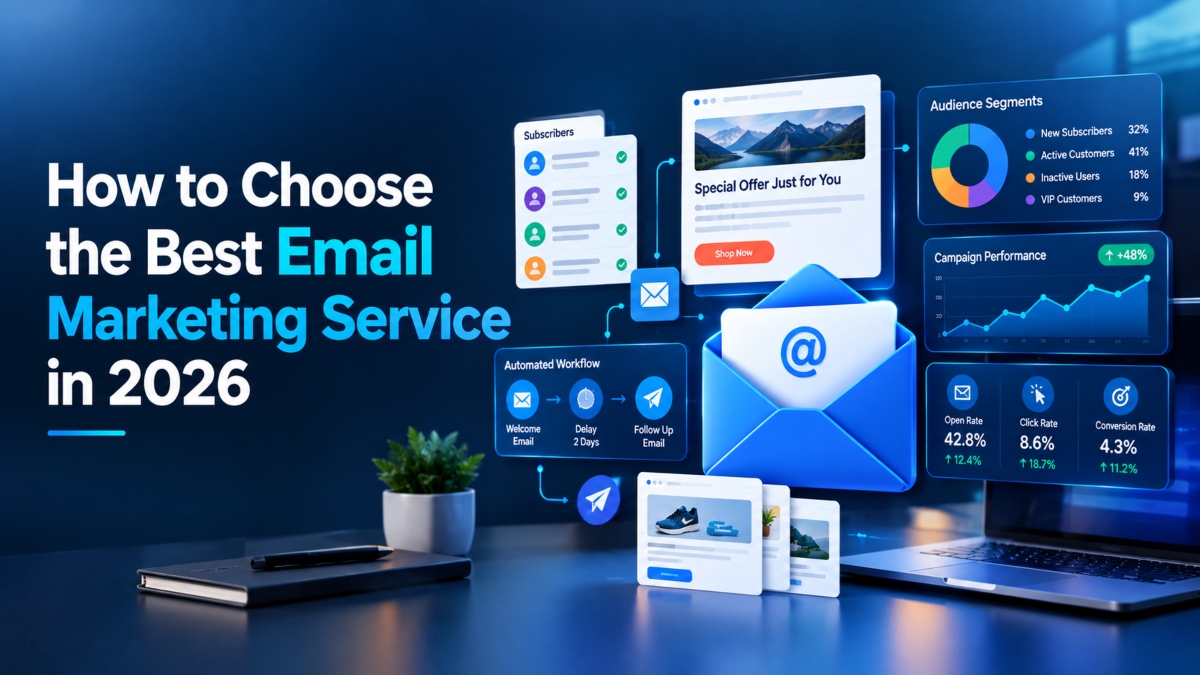
Choosing an email marketing service can feel harder than it should. Almost every platform promises easy campaigns, better automation, useful reports, and tools to help your business grow. Yet the right choice for a freelance writer may be a poor fit for an online store, a SaaS company, or a B2B marketing team.
The trick is to look beyond feature lists. Think about what you need to send, how often you plan to send it, how much you can spend, and which tools your business already uses. You should also check how well a service handles email delivery, contact management, and customer data.
For example, a small business sending one newsletter each week may need little more than a simple editor, contact lists, and campaign reports. An ecommerce brand may need abandoned cart emails, purchase based segments, and sales tracking. A SaaS company may need product activity triggers and automated onboarding emails.
In this guide, you will learn how to choose the best email marketing service in 2026, compare the features that matter, understand pricing, and test providers before making a decision.
1. Understand Your Email Marketing Needs First
Before comparing email marketing software, decide what you want it to do. A clear goal makes it much easier to narrow your options and avoid paying for features you will rarely use.
Newsletter and Promotional Campaigns
If your main goal is to send newsletters, product updates, special offers, or company news, look for a platform with a clean email editor, ready made templates, contact management, scheduling, and basic reports.
These features are often enough for freelancers, small businesses, bloggers, and local service providers. You should be able to create a campaign without asking a developer to fix the layout or help with every small change.
Automated Marketing and Lead Nurturing
Businesses that collect leads or guide customers through a longer buying process may need stronger automation tools.
For example, imagine someone signs up for your newsletter after reading a blog post. You could send a welcome email immediately, follow up with a useful guide two days later, and share a relevant offer a few days after that. A good automation system can handle this sequence without requiring you to send each message by hand.
Look for visual workflows, signup triggers, audience segments, scheduled follow ups, and options to personalize messages.
Ecommerce and Transactional Emails
Online stores often need more than a newsletter editor. Their email marketing service should connect to the store and use customer activity to send relevant messages.
Useful features include abandoned cart reminders, order follow ups, product recommendations, and reports that connect campaigns to sales.
Transactional emails serve a different purpose. They include order receipts, shipping updates, password resets, and account notifications. These messages may require an email sending service with API or SMTP access and strong delivery controls.
Some providers support both marketing and transactional messages, while others focus on one area. Check that the service matches the type of email you plan to send.
2. Set Your Budget and Calculate the Total Cost
Email marketing pricing can look attractive at first, especially when a provider offers a free plan. The real cost becomes clearer when your contact list grows or you need features that sit behind a paid tier.
Understand Contact Based and Send Based Pricing
Some platforms charge according to the number of contacts stored in your account. Others focus on the number of emails you send each month. Some use a mix of both.
Consider a business with 2,000 subscribers that sends four newsletters each month. That business may need around 8,000 campaign sends, before counting automated messages. A service that charges by sending volume may suit it better than one with a costly contact based plan. The best option depends on the actual pricing rules.
Before signing up, ask:
- Does the bill depend on contacts, monthly sends, or both?
- Do unsubscribed or inactive contacts count toward the limit?
- Are automation and advanced segmentation included?
- Does removing the provider’s branding cost extra?
- Are there fees for additional users or premium support?
- Can you pay monthly, or does the lowest rate require an annual plan?
Check the Cost as Your Business Grows
Do not calculate the cost using only your current subscriber count. Estimate what your list may look like in the next 12 months.
A plan that seems affordable with 1,000 contacts may become expensive when you reach 10,000. You may also need more frequent sends, extra user accounts, or advanced workflows as your business grows.
A free plan is a useful place to start if it gives you enough room to test real campaigns. However, check its limits before importing your full list. Moving to a paid plan should be a planned business expense, not an unexpected surprise.
3. Evaluate Email Deliverability and Sender Reputation
A beautifully designed email has little value if it never reaches the recipient’s inbox. That is why deliverability should be one of your first checks when comparing email marketing services.
Email deliverability depends on several things, including your sending practices, list quality, domain setup, recipient engagement, and the reputation of your sending infrastructure. No provider can guarantee that every message will reach the inbox.
Check SPF, DKIM, and DMARC Support
SPF, DKIM, and DMARC are email authentication methods that help receiving systems verify who is sending messages and whether the domain is being used correctly.
A reliable service should provide clear instructions for setting up these records on your sending domain. It should also explain how to authenticate your domain and identify configuration problems.
Google and Yahoo have specific requirements for bulk senders. These include email authentication, alignment of the sender domain, secure connections, and an easy unsubscribe process for applicable marketing messages. Bulk senders must also keep spam complaint rates below the applicable threshold, including Google’s stated 0.3% limit.
Check the current requirements before launching large campaigns, since rules can vary by sender type and may change over time.
Review Bounce Rates and Spam Complaints
Your email platform should help you monitor bounced messages, spam complaints, unsubscribes, and other signs of delivery trouble.
A high bounce rate may point to invalid addresses or poor list management. A rise in spam complaints can mean that people do not recognize your messages, did not expect them, or find them irrelevant.
Look for tools that identify delivery problems and explain what action you can take. Clear reporting makes it easier to spot issues before they affect future campaigns.
Understand Shared and Dedicated IP Options
Many email providers send messages through shared IP addresses. This can work well for businesses with ordinary sending needs.
A dedicated IP gives one sender more control over its sending reputation, but it also requires proper setup and enough consistent email volume. It is not automatically the better option for a small list or an occasional newsletter.
Choose a provider that explains its delivery setup clearly and offers the level of control your business actually needs.
4. Test Ease of Use and Email Design Tools
The best email marketing platform is not always the one with the most features. It is the one your team can use without turning every campaign into a technical project.
Compare Templates and the Email Editor
Look for a drag and drop editor that lets you add text, images, buttons, product blocks, and other content without writing code.
Templates can save time, especially when you send similar campaigns each month. Check whether you can change colours, fonts, spacing, logos, and layouts to match your brand.
Mobile display also matters. Many subscribers read emails on their phones, so buttons should be easy to tap, text should be readable, and images should fit the screen.
Before choosing a service, build a sample email and preview it on different screen sizes. A template that looks good on a desktop may feel crowded on a phone.
Test the Full Campaign Workflow
A free trial is useful because it lets you see how the platform works before you pay.
Try importing a small permission based contact list, creating a campaign, adding a subject line, scheduling delivery, and reviewing the results. Pay attention to how easy it is to correct mistakes, duplicate a campaign, and find the reports you need.
Here is a simple test: can a marketer who does not write code create, schedule, and review a segmented campaign within an hour? If the process feels confusing during a trial, daily use may be even more frustrating.
5. Compare Segmentation and Personalization Features
Sending the same email to every subscriber is easy, but it may not be the best way to communicate with an audience that has different interests and needs.
Segmentation lets you divide your contacts into groups. Personalization helps you tailor the message to each group or individual.
Build Segments From Subscriber Data
A useful email marketing service should let you organize contacts using tags, custom fields, location, preferences, signup source, purchase history, and engagement.
For example, a clothing store could create separate groups for people who buy sportswear, customers who shop during sales, and subscribers who have not purchased in several months. Each group could receive messages that match its interests.
A B2B company might group contacts by industry, company size, lead stage, or previous interactions with the sales team.
The aim is to send relevant messages rather than increase the number of emails in someone’s inbox.
Personalize Emails Based on Customer Actions
More advanced platforms can use website visits, purchases, form submissions, and other events to shape email content.
An online store could send product suggestions based on previous orders. A SaaS company could send a setup guide to a new user who has not completed an important step. A consultant could send different resources to leads who show interest in different services.
Look for dynamic content, custom fields, saved segments, and behavior based triggers. Make sure the plan you choose includes the features you need, because some providers limit advanced segmentation to higher tiers.
6. Choose the Right Email Automation Features
Automation saves time by sending messages when a person takes a particular action or reaches a certain point in a customer journey. The right level of automation depends on the size of your business and how you communicate with customers.
Essential Automation for Beginners
A beginner may only need a welcome email, a short welcome series, scheduled newsletters, and a follow up for people who have not completed a signup process.
These simple workflows can handle routine tasks while leaving you free to work on content, products, or customer service.
Advanced Workflows for Growing Teams
Larger teams may need branching logic, wait steps, behavior based triggers, lead scoring, and multi step customer journeys.
An ecommerce brand, for example, could send a cart reminder after a shopper leaves without completing a purchase. If the shopper later buys the product, the system could stop the reminder and start a post purchase sequence instead.
A B2B company could send different follow ups based on whether a lead downloads a guide, visits a pricing page, or books a meeting.
Before paying for advanced automation, map out the workflows you expect to use. If a simpler platform handles your needs, there may be little reason to pay extra for features your team will not use.
7. Check Integrations With Your Existing Tools
Your email marketing service should work well with the tools you already use. If your systems cannot share data properly, you may end up copying contact details by hand or dealing with outdated customer information.
Verify CRM, Website, Ecommerce, and Analytics Connections
Start by listing the tools your business relies on. These might include WordPress, Shopify, WooCommerce, HubSpot, Salesforce, Stripe, Google Analytics, or a customer support system.
Check whether the email platform offers a direct integration, connects through an automation service, or requires custom API work.
For an online store, the connection should ideally pass useful information such as purchases, abandoned carts, customer details, and product activity. A B2B team may need contact updates, lead stages, and sales activity to flow between its CRM and email platform.
Test Data Sync and Integration Limits
Do not assume that an integration supports every feature you need just because the provider lists the app on its website.
Check which fields sync, how often updates occur, and whether the connection works both ways. Also ask what happens when a sync fails.
Testing these details before you buy can save time and reduce errors later.
8. Review Analytics, Conversion Tracking, and A/B Testing
Email marketing reports should help you understand what happens after you send a campaign. A large number of opens may look encouraging, but it does not always mean your emails are generating useful results.
Track More Than Email Opens
Look for reports covering:
- Delivery and bounce rates
- Clicks and click through rates
- Unsubscribe rates and spam complaints
- Sales, leads, and other conversions
- Subscriber growth and engagement
- Results from individual automated workflows
Open rates can be affected by privacy features and automated image loading, so treat them as an estimate rather than a perfect measure of reader interest.
Connect Campaign Results to Business Goals
A useful platform should help you connect email activity with your wider marketing results. UTM tracking and analytics integrations can show whether a campaign brings visitors to your website and what they do after arriving.
A/B testing is another useful feature. It lets you compare two versions of an email, such as different subject lines, calls to action, or layouts.
For example, you could test two subject lines with similar audience groups and compare clicks or conversions. Use a clear test goal and a suitable sample size before deciding which version performs better.
Choose reporting tools that answer practical questions about your business. The purpose is not to collect more numbers, but to understand which messages help you reach your goals.
9. Check Compliance, Consent, and Data Privacy
Email marketing requires more than a list of addresses. You need a clear process for collecting contacts, managing preferences, and respecting requests to stop receiving messages.
Review Unsubscribe and Consent Management
Choose a service that supports unsubscribe links, suppression lists, preference settings, and records of subscriber consent where needed.
If someone unsubscribes, your system should prevent further marketing messages covered by that request. You should also be able to remove contacts when required and maintain suitable records of how your list was collected.
Avoid buying random email lists. Sending promotional messages to people who never agreed to hear from you can lead to complaints, delivery problems, and legal concerns.
Check the Rules for Your Target Markets
Different countries have different requirements for commercial email.
In the United States, the CAN SPAM Act sets rules for commercial messages, including accurate sender information, honest subject lines, a valid postal address, and a working opt out process. Opt out requests must generally be honored within 10 business days.
Businesses marketing to people in the European Union or United Kingdom should also assess relevant data protection and electronic marketing rules. GDPR related duties may include having a valid legal basis, explaining how personal data is used, and supporting data access or deletion requests where applicable.
Your provider can offer useful tools, but using its software does not automatically make your campaigns compliant. Review the rules that apply to your business and audience.
10. Assess Customer Support and Onboarding
Even a well designed platform can leave you stuck when an integration fails or a campaign does not send as expected. Support quality becomes especially important when email is a major part of your sales process.
Compare Support Channels and Migration Help
Check whether your chosen plan includes live chat, email support, phone assistance, onboarding sessions, or access to a dedicated account manager.
A searchable help center, clear setup guides, and useful tutorials can also save time when you are learning the system.
If you already use another email platform, ask whether the provider helps transfer contacts, templates, and automations. Find out which parts of the migration are handled for you and which require manual work.
One simple test is to send a question to the support team before purchasing. Ask about a feature you genuinely need and see whether the answer is clear, accurate, and useful.
Do not judge support by a single reply alone, but use the experience alongside plan details, documentation, and support hours when making your decision.
11. Check Scalability and Data Portability
Your email needs may change as your business grows. A service that works well for a small newsletter might not be suitable once you add more contacts, more users, or more advanced campaigns.
Plan for List Growth and Higher Sending Volume
Check subscriber limits, monthly sending limits, API access, user permissions, and account options. If several people manage campaigns, you may also need role based access so each person has the right level of control.
A SaaS business may need more automated messages as its customer base expands. An ecommerce brand may need additional segments and workflows during busy sales periods.
Estimate your likely needs over the next year before choosing a plan.
Confirm You Can Export Your Data
Data portability is easy to overlook when you first sign up. Yet it matters if you later decide to switch providers.
Check whether you can export contact details, consent records, suppression lists, templates, and campaign reports. Some items may not transfer directly, so ask what you can download and what you would need to rebuild.
Keep your own secure copy of essential business records and document important automations. This makes a future move easier and gives you more control over your marketing data.
12. Compare the Best Email Marketing Services for Different Business Needs
There is no single platform that suits every company. The right choice depends on whether you need simple newsletters, detailed customer journeys, ecommerce sales tools, or technical control over email sending.
Here are eight services worth comparing in 2026.
| Service | Best suited for | What to examine |
|---|---|---|
| Mailchimp | Small businesses and campaign marketing | Templates, reporting, automation, plan limits |
| Brevo | Businesses combining email with other customer messages | Sending limits, pricing model, automation, SMS |
| MailerLite | Creators and small teams | Newsletter design, signup forms, landing pages |
| Klaviyo | Ecommerce brands | Store data, cart recovery, revenue tracking |
| ActiveCampaign | B2B teams and advanced workflows | Lead scoring, CRM, automation logic |
| HubSpot | Businesses using a broader CRM system | Contact management, sales connections, reporting |
| Kit | Newsletter writers and creators | Subscriber tags, signup forms, creator workflows |
| Amazon SES | Developers and transactional email | API access, sending controls, technical setup |
These are starting points for research, not a universal ranking. Amazon SES, for example, is mainly an email sending service and requires more technical setup than many standard marketing platforms.
How to Compare Providers Fairly
Use the same contact count, monthly sending volume, and feature requirements for every provider. Check current prices and identify which tools are included in the plan you would actually purchase.
Do not compare a basic plan from one company with an advanced plan from another without accounting for the difference. A low entry price may not include the automation, reporting, or support your business needs.
You should also test each shortlisted provider before making a long term commitment. A short trial can reveal usability problems that are difficult to spot in a feature table.
13. How to Choose an Email Marketing Service Step by Step
Once you understand the main features, use a simple process to narrow your options.
Step 1. Define Your Business Goals
Decide what you want email marketing to achieve. Your goals might include generating sales, collecting leads, welcoming new users, recovering abandoned carts, or keeping existing customers engaged.
Clear goals help you identify which features deserve the most attention.
Step 2. Write Down Your Requirements
Record your current contact count, expected monthly sends, budget, integrations, automation needs, team size, and data privacy requirements.
Separate essential features from optional extras. For example, a store integration may be essential for an ecommerce brand, while advanced lead scoring may not matter to a small newsletter publisher.
Step 3. Shortlist Three to Five Providers
Remove platforms that fail your basic requirements. Check the pricing model, delivery tools, available integrations, support options, and data export rules.
A shorter list makes it easier to test each option properly.
Step 4. Run a Real Campaign During the Trial
Import a small list of people who have agreed to receive your emails. Create a campaign, test an automation, connect one essential integration, and review the reports.
Check the mobile layout, unsubscribe process, authentication setup, and ease of use. Record any problems rather than relying on memory.
Step 5. Score Each Option
Rate each provider against the features that matter to your business. Give higher weights to essential needs such as delivery quality, total cost, or a required integration.
A simple scoring method can help you compare providers more fairly, but the numbers should support your judgment rather than replace it. A service that fails a key requirement should not win just because it scores well in less important areas.
14. Watch for These Red Flags Before You Buy
A platform may look attractive during a sales demonstration but prove less useful once you begin using it. Look out for these warning signs:
- Pricing becomes unclear as your list grows.
- Essential automation features require a much more expensive plan.
- Authentication setup instructions are difficult to follow.
- Delivery and spam complaint reports are limited.
- Important integrations do not support the data you need.
- Contact exports and migration options are restricted.
- Customer support is difficult to reach on your chosen plan.
- Templates do not display well on mobile devices.
- Unsubscribe controls and consent records are inadequate.
- Sending limits or API restrictions are not clearly explained.
One warning sign does not always mean you should reject a provider. The key is to understand how the issue affects your work and whether there is a reasonable solution.
Before purchasing, ask the provider about your expected future costs, migration options, support access, sending limits, and the features included in your chosen plan. Clear answers now can prevent expensive surprises later.
15. Which Email Marketing Service Is Right for Your Business?
Your business model should guide your final decision. Start with the features you need most, then compare suitable platforms based on cost, ease of use, and delivery quality.
For Freelancers and Small Businesses
Look for an affordable platform with a simple editor, contact management, signup forms, basic automation, and clear campaign reports.
You probably do not need advanced workflows at the beginning. A service that lets you send newsletters consistently and manage subscribers without extra technical work may be enough.
For Ecommerce Stores
Choose a platform with direct store integration, purchase based segmentation, abandoned cart messages, post purchase workflows, and sales tracking.
Check whether product recommendations and revenue reports are available on your plan. These features can help you understand how campaigns contribute to store sales.
For B2B Companies
Look for CRM connections, lead scoring, lifecycle automation, and the ability to track leads as they move through the sales process.
Your team may also need shared access, sales notifications, and reports that connect marketing activity with qualified leads and closed deals.
For SaaS Companies
A SaaS business may need automated onboarding, product usage triggers, API access, and segments based on account activity.
For example, a new customer who has not completed setup could receive a helpful guide, while an active user may receive tips about features they have not tried. Check that your email platform can access the product events needed for these workflows.
For High Volume and Transactional Email
Focus on sending infrastructure, authentication controls, reputation monitoring, API access, throughput, and bounce management.
If your business sends receipts, account notifications, and marketing campaigns, decide whether one provider can handle all of these needs or whether separate services would be a better fit.
16. How Email Marketing Costs Relate to Business Results
The cheapest email marketing service is not always the best value. What matters is whether the platform helps you reach your goals at a cost your business can support.
Suppose one service costs less but lacks an integration your team needs. If you must pay for extra tools or spend hours moving data by hand, the lower subscription price may not save much money.
A more capable platform may be worth the added cost if its features support useful customer journeys, better reporting, or more efficient campaign management. However, paying for advanced tools only makes sense when your team can put them to use.
Email marketing return on investment also varies by industry, audience quality, campaign strategy, and how results are measured. Rather than relying on a general industry estimate, track your own campaign costs, attributable sales, leads, and retention over time.
Choose a service that helps you measure the results that matter to your business.
Frequently Asked Questions
How do I choose the best email marketing service?
Start with your business goals, contact count, sending volume, and budget. Compare delivery tools, automation, integrations, reporting, support, and data export options. Test your shortlist with a real campaign before paying.
What is the best email marketing service for small businesses?
The right choice depends on your budget and campaign needs. Small businesses often benefit from an easy editor, clear pricing, basic automation, useful reports, and reliable email delivery. Compare a few providers before deciding.
Are free email marketing services worth using?
Yes, a free plan can be a good starting point for a small list or a new business. Check contact limits, monthly sends, branding restrictions, automation access, and upgrade costs. Make sure the plan supports your actual needs.
How much does email marketing software cost?
Pricing varies by provider, contact count, sending volume, and available features. Some services charge according to stored contacts, while others focus on the number of messages sent. Compare the full cost at your current list size and expected future size.
What features should an email marketing platform have?
Most businesses need contact management, an email editor, campaign scheduling, reports, unsubscribe handling, and support for domain authentication. Segmentation, automation, integrations, and advanced reporting become more important as marketing needs grow.
How can I check email deliverability before signing up?
Review the provider’s authentication instructions, bounce handling, spam complaint reports, reputation monitoring, and unsubscribe tools. Send a test campaign to a small permission based list and monitor delivery results. Remember that no service can guarantee inbox placement.
What is the difference between email marketing software and a transactional email service?
Email marketing software focuses on newsletters, promotions, and automated customer journeys. Transactional email services focus on messages such as receipts, password resets, and order updates. Some providers support both, but their tools and pricing may differ.
Can I switch email marketing providers later?
Yes, although the process depends on the services involved. Check whether you can export contacts, consent records, suppression lists, templates, and campaign reports. You may need to rebuild certain automations and integrations after moving.
Which email marketing service is best for ecommerce?
Look for direct store integration, purchase based segments, abandoned cart workflows, post purchase messages, product recommendations, and revenue reporting. The best fit is the provider that supports your store and offers the features you need at a sustainable cost.
Do I need SPF, DKIM, and DMARC for email marketing?
These authentication methods help receiving systems verify email sources and domain identity. They are especially important for bulk sending. Follow the current requirements of major mailbox providers and configure your sending domain correctly.
Final Thoughts
Choosing the best email marketing service in 2026 comes down to understanding what your business needs today and what it may need as it grows.
Start with your goals and budget. Compare pricing, delivery quality, automation, integrations, reporting, and support. Then test three to five suitable providers before making a decision.
Do not let a long feature list or a low starting price make the choice for you. Focus on the tools your team will actually use, the results you need to measure, and the amount of work required to run campaigns.
A good email marketing service should make it easier to reach the right people with relevant messages, understand how those messages perform, and manage your subscriber list responsibly.
Use a simple scorecard, test a real campaign, and check the full cost before committing. That approach will help you choose a platform that fits your business rather than forcing your business to fit the software.
Read More: Explore Our Growth Marketing Services